Treat Meta MCP Like An Analyst, Not A Buyer: Three Low‑Risk Ways To Start

Anand Kumar

What is Meta MCP, in plain English?

MCP is Meta’s AI assistant that sits inside the Ads environment and works with natural language.

You ask it questions about your account, have it suggest changes, and in some cases let it apply those changes.

For performance teams at brands and agencies, this feels a bit like giving a very smart intern access to your Ads Manager.
The intern can read everything, connect dots quickly, and draft actions, but you still decide what goes live.

The safest way to start is to keep MCP in that intern role for at least the first 1–2 weeks.

Rule 1: Start read‑only

Why should you start MCP in read‑only mode?

Because the first risk is not “bad AI,” it is “AI moving faster than your process.”

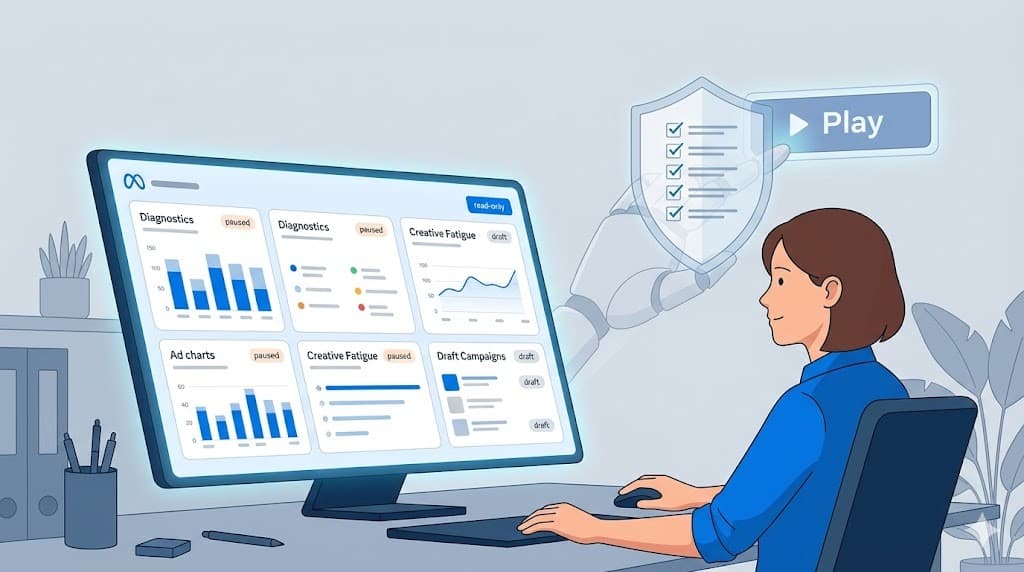
In the first 7–14 days, you want MCP to help you see your account more clearly without changing anything live.

You can use MCP as a diagnostic layer on top of your account:

  • Trend views

  • Top‑waste analysis

  • Creative fatigue

  • Account‑level summaries.

Think of this phase as onboarding a new analyst: they watch, they ask, they report; they do not push changes.

What should you ask MCP in read‑only mode?

Here are three prompt patterns you can use from day one, without risk.

1. Trend views: “What is really happening here?”

Short answer: Ask MCP to explain key trends across spend, results, and unit economics, with plain‑language takeaways.

Sample prompts:

  • “Give me a 14‑day trend summary of this ad account, focusing on spend, purchases, CPA, and ROAS. Call out any sharp changes in the last 3–5 days and explain likely causes.”

  • “Compare the last 7 days vs the previous 7 days for my top 10 ad sets by spend. Flag any ad sets where CPA has worsened by more than 25% while spend stayed flat or increased.”

What you get out of it:

  • Faster pattern recognition than scrolling through endless columns.

  • A shortlist of “things that moved” so your team knows where to investigate first.

This alone can save you several hours of manual analysis each week, especially in large accounts with many campaigns.

2. Top‑waste analysis: “Where is my money leaking?”

Short answer: Ask MCP to identify the biggest pockets of waste in simple, prioritised lists.

Sample prompts:

  • “Identify the top 10 worst‑performing ad sets by wasted spend in the last 30 days. Wasted spend means high spend and CPA at least 40% above account average.”

  • “List ad sets that have spent over ₹50,000 in the last 14 days with zero or very few purchases. Group them by campaign and suggest a likely reason based on audience, placement, or creative.”

What you get out of it:

  • A clear “leak map” you can turn into a manual fix list.

  • Early detection of problem areas that would usually get noticed at the end of the month.

If you already use tools like third i to catch keyword or creative waste on other channels, MCP can play a similar role inside Meta before any automation kicks in.

3. Creative fatigue and winners: “Which ads are tired, which are under‑used?”

Short answer: Ask MCP to label creatives by performance and fatigue, so you stop guessing which ads to scale or kill.

Sample prompts:

  • “Show me all active ads where performance has dropped in the last 7 days vs the previous 7, with at least 20 conversions each. Highlight those likely suffering from creative fatigue.”

  • “Give me a list of top 20 ads by ROAS in the last 30 days with meaningful spend. For each, write a one‑line description of the hook, visual style, and CTA.”

What you get out of it:

  • A clear list of “probable fatigue cases” you can review.

  • A creative winner board you can share with your design and content teams, similar to what third i’s Creative Analyzer surfaces.

This is very close to what a dedicated creative analyst would prepare for your weekly review, minus the time in Excel and PowerPoint.

4. Account‑level summaries: “Tell me the story like I am the CMO”

Short answer: Use MCP to auto‑draft a weekly account summary that you can edit before sharing with founders or clients.

Sample prompts:

  • “Write a concise weekly performance summary for this ad account. Structure it as: 1) key numbers, 2) what improved, 3) what got worse, 4) 3–5 high‑impact opportunities for next week.”

  • “Summarise performance for our [country/region] campaigns for the last 30 days for a C‑level audience. Use non‑technical language and focus on revenue, ROAS, and major changes.”

What you get out of it:

  • A first draft of the weekly update that your team can refine.

  • A consistent story about the account that goes beyond raw numbers.

Many third i customers already rely on automated reporting agents to reduce manual reporting overhead; MCP can act as a Meta‑specific reporting helper in the same spirit.

Guardrails for Rule 1

While you are in read‑only mode:

  • Do not accept any auto‑apply suggestions. Treat them as recommendations to review.

  • Ask MCP to show “before vs after” impact for any historical changes it suggests, just to see how it thinks.

  • Keep a simple log of MCP prompts and outputs for your team to inspect.

Your goal is to learn how MCP reasons about your account and where you agree or disagree, without letting it write a single line of live change.

Rule 2: Use MCP to prepare, not publish

Why keep MCP in “draft‑only” mode next?

Once you trust MCP’s read of your data, the temptation is to let it push edits.

Instead, the safer step is to let MCP prepare campaigns, ad sets, and creative ideas as drafts or paused items only.

You and your team still review, tweak, and publish from Ads Manager or from a safe layer like third i.
This gives you AI speed on the “thinking” side while keeping human control on the “doing” side.

How to let MCP draft campaigns safely

1. Draft new campaigns in paused state

Short answer: Ask MCP to propose full campaign structures, but force everything into draft or paused state.

Sample prompts:

  • “Based on the last 60 days of performance, propose a new prospecting campaign structure targeting [country/region]. Include budget suggestions, audiences, placements, and 3 ad set ideas. Create them in draft or paused state only.”

  • “Design a retargeting campaign for users who added to cart but did not purchase in the last 14 days. Suggest 2–3 ad sets with different audiences or creative strategies, and keep everything paused.”

What you get out of it:

  • Ready‑made campaign skeletons you can inspect.

  • A quicker way to turn analysis into concrete setups.

Your internal rule should be “no draft goes live without human review.”
This is similar to how third i’s agents generate ranked actions that a marketer approves instead of making silent changes.

2. Draft ad sets and audiences for existing campaigns

Short answer: Ask MCP to suggest incremental tests rather than tearing down your structure.

Sample prompts:

  • “For our best‑performing campaign, suggest 3 new ad set ideas based on lookalikes, interest bundles, or broad targeting. Create them as drafts only, with budgets capped at 10% of the campaign’s daily spend.”

  • “Identify audiences we have not tested yet for our top‑selling product, based on signals from current converters. Propose ad set drafts that target these audiences.”

What you get out of it:

  • Sensible expansion tests with built‑in guardrails on budget.

  • A steady stream of ideas for your testing backlog, without guesswork.

This works well when you already have strong creative or product‑market fit but your audience testing is lagging.

3. Draft creative variations and messaging

Short answer: Use MCP as a copy and angle generator, not as a final voice.

Sample prompts:

  • “Based on our top‑performing ads in the last 30 days, write 5 new headline and primary text combinations targeting price‑sensitive buyers. Do not publish, just list them.”

  • “Take our current best ad creatives and suggest 3 new hook ideas for each, focusing on first 3 seconds for Reels. Output in a table with ‘Hook line,’ ‘Angle,’ and ‘Suggested CTA’.”

What you get out of it:

  • A structured set of options that your creative team can refine.

  • Faster translation of performance learnings into fresh variants.

Tools like third i already do this across platforms by linking creative performance with specific hooks and directions for new shoots.
Using MCP in this way keeps Meta’s AI “on the thinking side” without letting it own your brand voice.

Review workflows that keep you safe

To keep this phase under control:

  • Decide who approves drafts: performance lead, brand lead, or client.

  • Define a checklist before anything goes live: targeting, placements, frequency caps, brand safety, offer accuracy, tracking.

  • Keep a cap on “AI‑proposed budget” in the first month, for example “no AI‑proposed test exceeds 10% of campaign spend.”

A simple practice is to batch MCP‑generated drafts into a weekly “AI proposals” review, just like you would review account audits.

Rule 3: Wire MCP into a broader stack

Why MCP alone is not enough

MCP is one pipe into Meta.

But serious teams know Meta performance is only one piece of the picture.
You still need:

  • Attribution beyond last‑click, across channels

  • Funnel diagnostics (landing pages, add‑to‑cart, checkout)

  • Creative intelligence that sits above one platform

  • Reporting that pulls Google, Meta, social, and first‑party data together.

Without that broader view, you risk optimising to the wrong signal or “over‑trusting” what Meta can see inside its own walls.

What should your wider stack include?

For a mid‑to‑large performance team, a healthy stack around MCP usually has:

  • Attribution and analytics
    To answer questions like “Did this Meta spike actually drive incremental sales, or did it just steal credit from branded search?”

  • Funnel diagnostics
    To see where users leak between click and purchase, across devices and steps.

  • Creative intelligence
    To track creative themes, hooks, and formats across Meta, Google assets, and social content.

  • Automation and execution layer
    To take insights from Meta MCP and other sources, turn them into ranked action items, and execute in a controlled way.

This is exactly the gap tools like third i are designed to fill: connecting multiple platforms, constantly analysing performance, and turning insights into specific, human‑approved actions.

Where third i fits as the “safe layer”

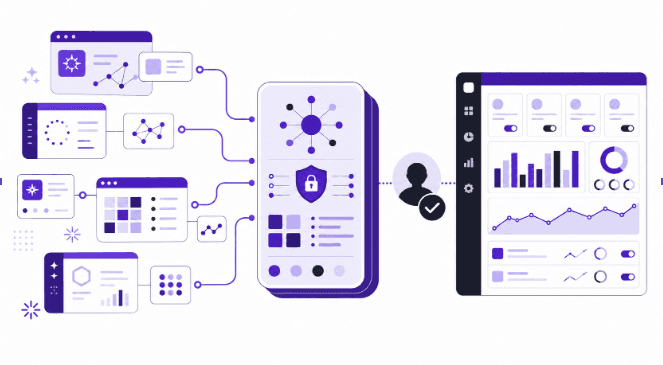
third i sits between your data sources (Meta, Google, social, analytics) and execution.

Instead of raw “AI, go do stuff,” you get:

  • Always‑on diagnosis: agents that scan campaigns and creatives across platforms to surface waste, winners, and opportunities.

  • Ranked action lists: clear, prioritised recommendations such as “pause these 5 money‑pit creatives,” “shift 15% budget here,” or “launch variants of this winning hook.”

  • Approval workflows: you decide what to accept, modify, or reject, so AI never makes silent account changes.

  • Cross‑channel fixes: one insight can turn into coordinated adjustments on Meta, Google, and social instead of one‑off edits.

In practice, this means:

  • MCP helps you understand and plan inside Meta.

  • third i collects that signal, adds inputs from other platforms, and converts everything into safe, reviewable actions.

  • Your team retains full control while still getting the benefit of autonomous analysis.

Many brands using third i report 20–30 percent improvement in ROAS and a 20 percent cut in wasted ad spend after rolling out AI agents with human approvals on top.

That is exactly the kind of “more signal, less noise” outcome you want from combining MCP with a broader stack.

Safe workflow example: MCP + Third i in your first month

Here is how a cautious team might run the first 30 days:

Week 1–2

  • Connect Meta, Google, and analytics to third i for always‑on analysis.

  • Use MCP in read‑only mode for Meta diagnostics and weekly summaries.

  • Let third i’s agents surface cross‑channel waste and creative issues, and compare with MCP’s view.

Week 2–3

  • Ask MCP to draft new Meta campaigns, ad sets, and creative ideas in paused state.

  • Send those drafts through your normal review process and third i’s recommendation layer for extra checks.

  • Start a small, tightly capped set of tests where both MCP and third i agree there is upside.

Week 3–4

  • Gradually increase the number of MCP‑drafted items that get reviewed.

  • Still keep all budget and bid changes behind human approval via Ads Manager or third i actions.

  • Track impact in terms of ROAS, cost per lead, and wasted spend; refine your guardrails based on real outcomes.

By the end of month one, you will have a clear sense of where MCP adds signal, where it is noisy, and how a safe layer like third i can keep everything under control.

Three safe uses of MCP at a glance

Goal

MCP role (first 7–14 days)

Human role

Safe layer (third i) role

Diagnose problems

Read‑only trend, waste, and fatigue analysis

Validate findings, add context

Cross‑channel checks, ranked problem list

Plan new campaigns and tests

Draft campaigns, ad sets, and creatives in drafts

Review, edit, decide what goes live

Turn drafts into action items with approvals

Execute changes across platforms

Suggest Meta‑only tweaks

Set strategy and constraints

Apply approved fixes on Meta, Google, social

Key takeaway for performance marketers

You can get a lot of value from MCP even if you never let it change a single bid.

Treat it as a smarter analyst first: use it to see trends, spot waste, and draft structured plans.
If that works, you can then think about controlled execution inside a broader, safer stack.

third i is built as that safe layer: it turns MCP‑level access into ranked actions, approvals, and cross‑channel fixes instead of a black‑box AI driving your budget.

You stay in charge of strategy, tone, and risk; AI handles the boring, always‑on analysis.

FAQ: Common questions teams ask before turning MCP on

“How long should we stay in read‑only mode?”

Most teams do well with 7–14 days of read‑only usage.

Use that time to stress‑test MCP’s analysis against your own dashboards and tools like third i.
If you see clear agreement on problems and opportunities, you can safely move to draft‑only usage.

“Who should own MCP inside the team?”

The best owner is usually your performance lead or the senior account manager on the Meta side.

They already think in terms of trade‑offs and can judge whether MCP’s ideas make sense.
Once they are comfortable, they can create simple playbooks for the rest of the team.

“When, if ever, should we let MCP execute changes?”

Only after you have:

  • A clear sense of where it is strong or weak in your account

  • Guardrails on budget, bids, and audiences

  • A safe layer like third i logging and governing every change.

Even then, a hybrid model works best: let AI handle small, repetitive tweaks while humans own launches, larger budget shifts, and creative direction.

How to try this approach with third i

If you want to put this into practice without risking your Meta budget:

  • Connect your Meta and Google accounts to third i.

  • Run MCP in read‑only mode and compare its findings with third i’s agents across creative, keywords, and social.

  • Use third i’s ranked actions and approvals to turn both signals into safe, controlled execution.

You get the upside of AI analysis on Meta and beyond, with a single place to decide what actually happens to your budgets.

If you want to see this in action on your own account, book a demo or start a free trial of third i and bring your MCP questions to the call.

Try third i’s 7‑day free trial and see how a safe execution layer feels before you ever let AI touch a rupee of live spend.


What kind of Meta account are you running right now – brand‑side in‑house or agency with multiple clients?


What is Meta MCP, in plain English?

MCP is Meta’s AI assistant that sits inside the Ads environment and works with natural language.

You ask it questions about your account, have it suggest changes, and in some cases let it apply those changes.

For performance teams at brands and agencies, this feels a bit like giving a very smart intern access to your Ads Manager.
The intern can read everything, connect dots quickly, and draft actions, but you still decide what goes live.

The safest way to start is to keep MCP in that intern role for at least the first 1–2 weeks.

Rule 1: Start read‑only

Why should you start MCP in read‑only mode?

Because the first risk is not “bad AI,” it is “AI moving faster than your process.”

In the first 7–14 days, you want MCP to help you see your account more clearly without changing anything live.

You can use MCP as a diagnostic layer on top of your account:

  • Trend views

  • Top‑waste analysis

  • Creative fatigue

  • Account‑level summaries.

Think of this phase as onboarding a new analyst: they watch, they ask, they report; they do not push changes.

What should you ask MCP in read‑only mode?

Here are three prompt patterns you can use from day one, without risk.

1. Trend views: “What is really happening here?”

Short answer: Ask MCP to explain key trends across spend, results, and unit economics, with plain‑language takeaways.

Sample prompts:

  • “Give me a 14‑day trend summary of this ad account, focusing on spend, purchases, CPA, and ROAS. Call out any sharp changes in the last 3–5 days and explain likely causes.”

  • “Compare the last 7 days vs the previous 7 days for my top 10 ad sets by spend. Flag any ad sets where CPA has worsened by more than 25% while spend stayed flat or increased.”

What you get out of it:

  • Faster pattern recognition than scrolling through endless columns.

  • A shortlist of “things that moved” so your team knows where to investigate first.

This alone can save you several hours of manual analysis each week, especially in large accounts with many campaigns.

2. Top‑waste analysis: “Where is my money leaking?”

Short answer: Ask MCP to identify the biggest pockets of waste in simple, prioritised lists.

Sample prompts:

  • “Identify the top 10 worst‑performing ad sets by wasted spend in the last 30 days. Wasted spend means high spend and CPA at least 40% above account average.”

  • “List ad sets that have spent over ₹50,000 in the last 14 days with zero or very few purchases. Group them by campaign and suggest a likely reason based on audience, placement, or creative.”

What you get out of it:

  • A clear “leak map” you can turn into a manual fix list.

  • Early detection of problem areas that would usually get noticed at the end of the month.

If you already use tools like third i to catch keyword or creative waste on other channels, MCP can play a similar role inside Meta before any automation kicks in.

3. Creative fatigue and winners: “Which ads are tired, which are under‑used?”

Short answer: Ask MCP to label creatives by performance and fatigue, so you stop guessing which ads to scale or kill.

Sample prompts:

  • “Show me all active ads where performance has dropped in the last 7 days vs the previous 7, with at least 20 conversions each. Highlight those likely suffering from creative fatigue.”

  • “Give me a list of top 20 ads by ROAS in the last 30 days with meaningful spend. For each, write a one‑line description of the hook, visual style, and CTA.”

What you get out of it:

  • A clear list of “probable fatigue cases” you can review.

  • A creative winner board you can share with your design and content teams, similar to what third i’s Creative Analyzer surfaces.

This is very close to what a dedicated creative analyst would prepare for your weekly review, minus the time in Excel and PowerPoint.

4. Account‑level summaries: “Tell me the story like I am the CMO”

Short answer: Use MCP to auto‑draft a weekly account summary that you can edit before sharing with founders or clients.

Sample prompts:

  • “Write a concise weekly performance summary for this ad account. Structure it as: 1) key numbers, 2) what improved, 3) what got worse, 4) 3–5 high‑impact opportunities for next week.”

  • “Summarise performance for our [country/region] campaigns for the last 30 days for a C‑level audience. Use non‑technical language and focus on revenue, ROAS, and major changes.”

What you get out of it:

  • A first draft of the weekly update that your team can refine.

  • A consistent story about the account that goes beyond raw numbers.

Many third i customers already rely on automated reporting agents to reduce manual reporting overhead; MCP can act as a Meta‑specific reporting helper in the same spirit.

Guardrails for Rule 1

While you are in read‑only mode:

  • Do not accept any auto‑apply suggestions. Treat them as recommendations to review.

  • Ask MCP to show “before vs after” impact for any historical changes it suggests, just to see how it thinks.

  • Keep a simple log of MCP prompts and outputs for your team to inspect.

Your goal is to learn how MCP reasons about your account and where you agree or disagree, without letting it write a single line of live change.

Rule 2: Use MCP to prepare, not publish

Why keep MCP in “draft‑only” mode next?

Once you trust MCP’s read of your data, the temptation is to let it push edits.

Instead, the safer step is to let MCP prepare campaigns, ad sets, and creative ideas as drafts or paused items only.

You and your team still review, tweak, and publish from Ads Manager or from a safe layer like third i.
This gives you AI speed on the “thinking” side while keeping human control on the “doing” side.

How to let MCP draft campaigns safely

1. Draft new campaigns in paused state

Short answer: Ask MCP to propose full campaign structures, but force everything into draft or paused state.

Sample prompts:

  • “Based on the last 60 days of performance, propose a new prospecting campaign structure targeting [country/region]. Include budget suggestions, audiences, placements, and 3 ad set ideas. Create them in draft or paused state only.”

  • “Design a retargeting campaign for users who added to cart but did not purchase in the last 14 days. Suggest 2–3 ad sets with different audiences or creative strategies, and keep everything paused.”

What you get out of it:

  • Ready‑made campaign skeletons you can inspect.

  • A quicker way to turn analysis into concrete setups.

Your internal rule should be “no draft goes live without human review.”
This is similar to how third i’s agents generate ranked actions that a marketer approves instead of making silent changes.

2. Draft ad sets and audiences for existing campaigns

Short answer: Ask MCP to suggest incremental tests rather than tearing down your structure.

Sample prompts:

  • “For our best‑performing campaign, suggest 3 new ad set ideas based on lookalikes, interest bundles, or broad targeting. Create them as drafts only, with budgets capped at 10% of the campaign’s daily spend.”

  • “Identify audiences we have not tested yet for our top‑selling product, based on signals from current converters. Propose ad set drafts that target these audiences.”

What you get out of it:

  • Sensible expansion tests with built‑in guardrails on budget.

  • A steady stream of ideas for your testing backlog, without guesswork.

This works well when you already have strong creative or product‑market fit but your audience testing is lagging.

3. Draft creative variations and messaging

Short answer: Use MCP as a copy and angle generator, not as a final voice.

Sample prompts:

  • “Based on our top‑performing ads in the last 30 days, write 5 new headline and primary text combinations targeting price‑sensitive buyers. Do not publish, just list them.”

  • “Take our current best ad creatives and suggest 3 new hook ideas for each, focusing on first 3 seconds for Reels. Output in a table with ‘Hook line,’ ‘Angle,’ and ‘Suggested CTA’.”

What you get out of it:

  • A structured set of options that your creative team can refine.

  • Faster translation of performance learnings into fresh variants.

Tools like third i already do this across platforms by linking creative performance with specific hooks and directions for new shoots.
Using MCP in this way keeps Meta’s AI “on the thinking side” without letting it own your brand voice.

Review workflows that keep you safe

To keep this phase under control:

  • Decide who approves drafts: performance lead, brand lead, or client.

  • Define a checklist before anything goes live: targeting, placements, frequency caps, brand safety, offer accuracy, tracking.

  • Keep a cap on “AI‑proposed budget” in the first month, for example “no AI‑proposed test exceeds 10% of campaign spend.”

A simple practice is to batch MCP‑generated drafts into a weekly “AI proposals” review, just like you would review account audits.

Rule 3: Wire MCP into a broader stack

Why MCP alone is not enough

MCP is one pipe into Meta.

But serious teams know Meta performance is only one piece of the picture.
You still need:

  • Attribution beyond last‑click, across channels

  • Funnel diagnostics (landing pages, add‑to‑cart, checkout)

  • Creative intelligence that sits above one platform

  • Reporting that pulls Google, Meta, social, and first‑party data together.

Without that broader view, you risk optimising to the wrong signal or “over‑trusting” what Meta can see inside its own walls.

What should your wider stack include?

For a mid‑to‑large performance team, a healthy stack around MCP usually has:

  • Attribution and analytics
    To answer questions like “Did this Meta spike actually drive incremental sales, or did it just steal credit from branded search?”

  • Funnel diagnostics
    To see where users leak between click and purchase, across devices and steps.

  • Creative intelligence
    To track creative themes, hooks, and formats across Meta, Google assets, and social content.

  • Automation and execution layer
    To take insights from Meta MCP and other sources, turn them into ranked action items, and execute in a controlled way.

This is exactly the gap tools like third i are designed to fill: connecting multiple platforms, constantly analysing performance, and turning insights into specific, human‑approved actions.

Where third i fits as the “safe layer”

third i sits between your data sources (Meta, Google, social, analytics) and execution.

Instead of raw “AI, go do stuff,” you get:

  • Always‑on diagnosis: agents that scan campaigns and creatives across platforms to surface waste, winners, and opportunities.

  • Ranked action lists: clear, prioritised recommendations such as “pause these 5 money‑pit creatives,” “shift 15% budget here,” or “launch variants of this winning hook.”

  • Approval workflows: you decide what to accept, modify, or reject, so AI never makes silent account changes.

  • Cross‑channel fixes: one insight can turn into coordinated adjustments on Meta, Google, and social instead of one‑off edits.

In practice, this means:

  • MCP helps you understand and plan inside Meta.

  • third i collects that signal, adds inputs from other platforms, and converts everything into safe, reviewable actions.

  • Your team retains full control while still getting the benefit of autonomous analysis.

Many brands using third i report 20–30 percent improvement in ROAS and a 20 percent cut in wasted ad spend after rolling out AI agents with human approvals on top.

That is exactly the kind of “more signal, less noise” outcome you want from combining MCP with a broader stack.

Safe workflow example: MCP + Third i in your first month

Here is how a cautious team might run the first 30 days:

Week 1–2

  • Connect Meta, Google, and analytics to third i for always‑on analysis.

  • Use MCP in read‑only mode for Meta diagnostics and weekly summaries.

  • Let third i’s agents surface cross‑channel waste and creative issues, and compare with MCP’s view.

Week 2–3

  • Ask MCP to draft new Meta campaigns, ad sets, and creative ideas in paused state.

  • Send those drafts through your normal review process and third i’s recommendation layer for extra checks.

  • Start a small, tightly capped set of tests where both MCP and third i agree there is upside.

Week 3–4

  • Gradually increase the number of MCP‑drafted items that get reviewed.

  • Still keep all budget and bid changes behind human approval via Ads Manager or third i actions.

  • Track impact in terms of ROAS, cost per lead, and wasted spend; refine your guardrails based on real outcomes.

By the end of month one, you will have a clear sense of where MCP adds signal, where it is noisy, and how a safe layer like third i can keep everything under control.

Three safe uses of MCP at a glance

Goal

MCP role (first 7–14 days)

Human role

Safe layer (third i) role

Diagnose problems

Read‑only trend, waste, and fatigue analysis

Validate findings, add context

Cross‑channel checks, ranked problem list

Plan new campaigns and tests

Draft campaigns, ad sets, and creatives in drafts

Review, edit, decide what goes live

Turn drafts into action items with approvals

Execute changes across platforms

Suggest Meta‑only tweaks

Set strategy and constraints

Apply approved fixes on Meta, Google, social

Key takeaway for performance marketers

You can get a lot of value from MCP even if you never let it change a single bid.

Treat it as a smarter analyst first: use it to see trends, spot waste, and draft structured plans.
If that works, you can then think about controlled execution inside a broader, safer stack.

third i is built as that safe layer: it turns MCP‑level access into ranked actions, approvals, and cross‑channel fixes instead of a black‑box AI driving your budget.

You stay in charge of strategy, tone, and risk; AI handles the boring, always‑on analysis.

FAQ: Common questions teams ask before turning MCP on

“How long should we stay in read‑only mode?”

Most teams do well with 7–14 days of read‑only usage.

Use that time to stress‑test MCP’s analysis against your own dashboards and tools like third i.
If you see clear agreement on problems and opportunities, you can safely move to draft‑only usage.

“Who should own MCP inside the team?”

The best owner is usually your performance lead or the senior account manager on the Meta side.

They already think in terms of trade‑offs and can judge whether MCP’s ideas make sense.
Once they are comfortable, they can create simple playbooks for the rest of the team.

“When, if ever, should we let MCP execute changes?”

Only after you have:

  • A clear sense of where it is strong or weak in your account

  • Guardrails on budget, bids, and audiences

  • A safe layer like third i logging and governing every change.

Even then, a hybrid model works best: let AI handle small, repetitive tweaks while humans own launches, larger budget shifts, and creative direction.

How to try this approach with third i

If you want to put this into practice without risking your Meta budget:

  • Connect your Meta and Google accounts to third i.

  • Run MCP in read‑only mode and compare its findings with third i’s agents across creative, keywords, and social.

  • Use third i’s ranked actions and approvals to turn both signals into safe, controlled execution.

You get the upside of AI analysis on Meta and beyond, with a single place to decide what actually happens to your budgets.

If you want to see this in action on your own account, book a demo or start a free trial of third i and bring your MCP questions to the call.

Try third i’s 7‑day free trial and see how a safe execution layer feels before you ever let AI touch a rupee of live spend.


What kind of Meta account are you running right now – brand‑side in‑house or agency with multiple clients?